
Writing strategy
If you’re a full-time content writer, then you might agree when I say that nothing is more important than how well you manage your time and resources. Various things may arise that put increased pressure on either you, or the people you work with, as you scramble to meet deadlines. Being told Thursday afternoon to have a first draft available Monday morning can really put the brakes on work you were either trying to finish, or preparing to start for the week ahead.
It’s always nice to have a strategy to fall back on. Separating your tasks into groups can help you better manage the work load, and reduce stress should the company see an influx of business. Personally, I’ve always heard that if you’re going to spend a 40 hour week writing an article then you should commit 10 hours to research, 5 hours to actually writing it, and 25 hours towards marketing it. Of course, some might vary depending on scope and length of the topic. However, you need to make sure that you’re utilizing the best tools so that you don’t get overwhelmed.
Optimizing your process is crucial to producing the best quality content. There are plenty of tools you can use to make things easier for yourself. Here’s a comprehensive list of some good programs and apps I’ve come across. If these aren’t the best for you, then you can always do some comparative research.
The most important things to me are keeping track of my client information, and organizing a consistent calendar in order to maximize productivity and cut down on waste. The first, and most used tool in my inventory is Google Drive.
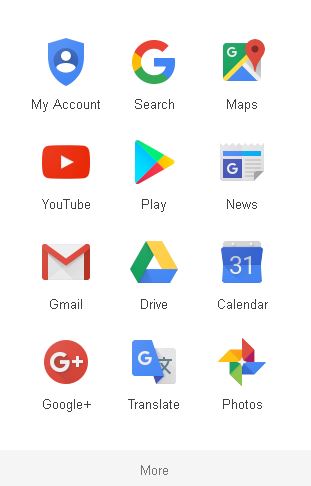
Google Dashboard Menu
Besides the benefit of a free e-mail address, you can also get plenty of features including word documents, spreadsheets, calendars, remote storage, and reminders for your phone. If you’re a small business or startup, this can be a lifesaver when interacting with coworkers to ensure projects are completed on time. Although I have a physical planner that I bring just about everywhere with me, Google Drive is a crucial part of how I operate and interact with both clients and partners.
Recently I spoke with a colleague who referred me to a website called Trello. With it, she told me she can now have an efficient platform to communicate with all of the other associates. Before, they were struggling to keep up with each other’s projects, and schedules were starting to clash. Utilizing this tool has simplified their daily routine and made it easy to follow along with other coworkers and artists.
If you’re using multiple social media profiles at once, Buffer is great at keeping all of your posts in one location. You can send out mass updates all at once. Currently, their free plan features Facebook, Twitter, Instagram, LinkedIn, and Google+. The picture below shows the main dashboard, where you can integrate your social media and manage a large chunk of your online identity.
Buffer has an app currently available for both Android and iOS. You can also find them here on Twitter.
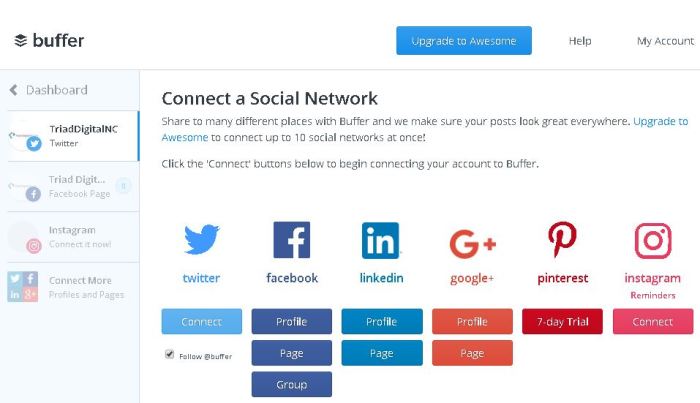
Buffer Dashboard
Final Thoughts:
These tools will only end up being as useful as you make them. Automating your tasks and taking work off your desk is the quickest way to free up your time to focus on other things which will help you grow. Don’t hesitate to re-evaluate yourself along the way to make sure you’re still headed in the right direction. Keeping teammates aware of your deadlines and being mindful of theirs can help you cut down on unnecessary stress and boost workflow.
If you’re interested in learning how to rank #1 on Google, I recently wrote up my thoughts on a study conducted which analyzed over one million search results pages. Learning those tricks can help optimize your writing and get your content seen by more people. If you have a tool that helps, feel free to leave it in a comment below.
-Mitchell S.

Owner – Triad Digital


 Triad Digital